Practical mobile video editing essentials
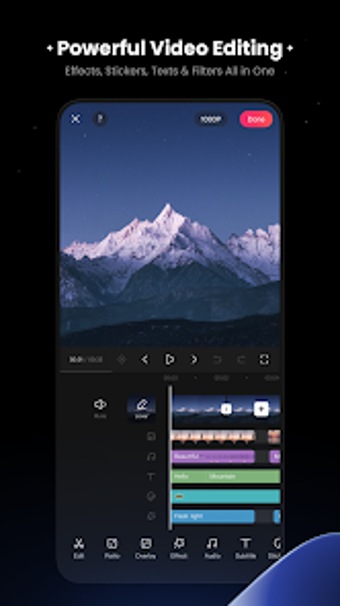
KwaiCut is a free video editing app created by Kwai Technology Limited that focuses on straightforward tools for creating short-form and social video content. KwaiCut centers on essential editing tasks such as trimming, splitting, combining clips, and adjusting playback speed, making it approachable for users with varying levels of experience. KwaiCut emphasizes ease of use and quick results rather than complex workflows, positioning itself as a consumer-oriented editor suited to everyday video creation and sharing.
Top Recommended Alternative

Core editing tools for everyday projects
KwaiCut provides a set of basic editing features designed to handle common video adjustments efficiently. KwaiCut allows users to cut and rearrange clips, adjust timing through speed controls, and apply simple visual changes to refine scenes. KwaiCut focuses on touch-friendly editing and streamlined controls, helping users complete projects without extensive setup. KwaiCut supports exporting finished videos in common formats and resolutions appropriate for online sharing, though specific export limits are not clearly detailed.
Creative additions and usability focus
KwaiCut includes optional creative elements such as filters, stickers, and sound effects that help personalize videos without adding complexity. KwaiCut also supports manual captioning and text overlays, allowing creators to add context or emphasis to their content. KwaiCut’s interface prioritizes accessibility, keeping tools easy to find and use. KwaiCut does not present itself as a professional-grade editor, instead favoring a lightweight experience aimed at quick edits and consistent results.
Final thoughts
KwaiCut delivers a balanced mobile video editing experience built around simplicity and essential features. KwaiCut works well for users who want to create and refine short videos without relying on advanced editing techniques or technical controls. KwaiCut avoids the learning curve associated with more complex editors, making it suitable for casual creators and frequent social sharing. KwaiCut is best viewed as a practical, entry-level editing tool rather than a full production solution.